HOW TO BUY CRYPTOCURRENCY ON BINANCE
How to Buy Cryptocurrency on Binance Homepage
Before you can start trading, you need to buy cryptocurrencies first.
And If you are from a restricted countryyou can get started with P2P that is how you can prevent ban.
There are several ways to buy cryptocurrencies from the Binance homepage, including Credit/Debit Cards, Cash balances, and P2P.
How to buy crypto with a Credit/Debit Card
1. Log in to your Binance account and click [Buy Now] on the homepage banner.
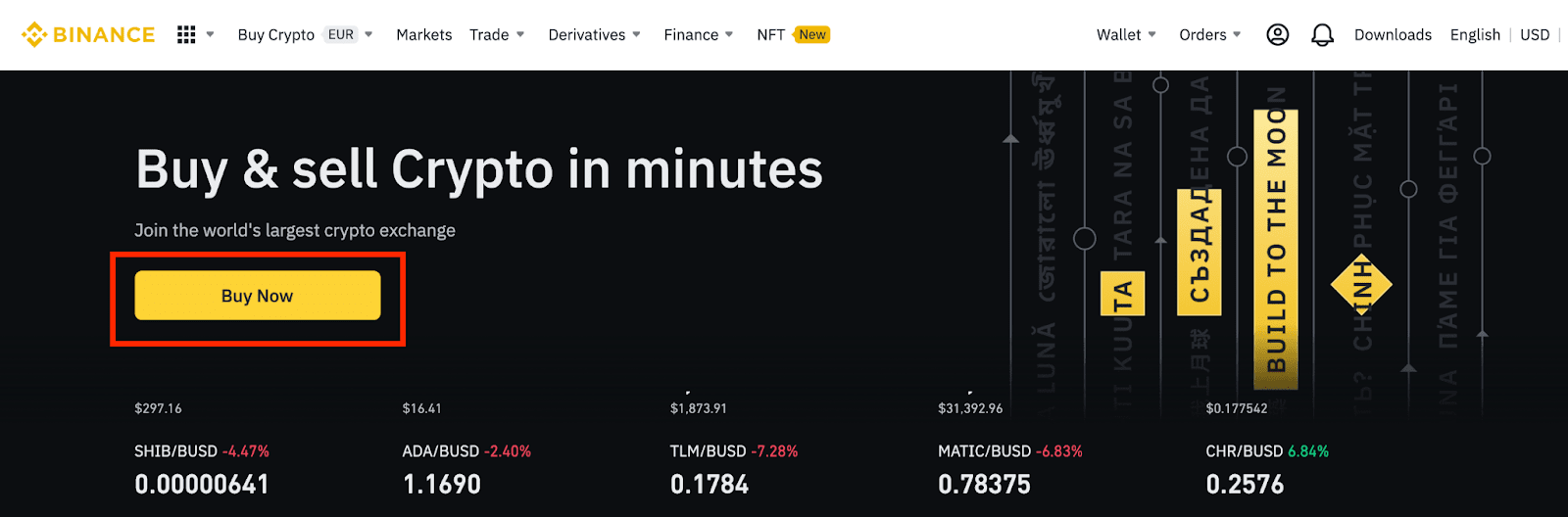
2. You can choose to buy crypto with different fiat currencies. Enter the fiat amount you want to spend and the system will automatically display the amount of crypto you can get. Click [Continue].

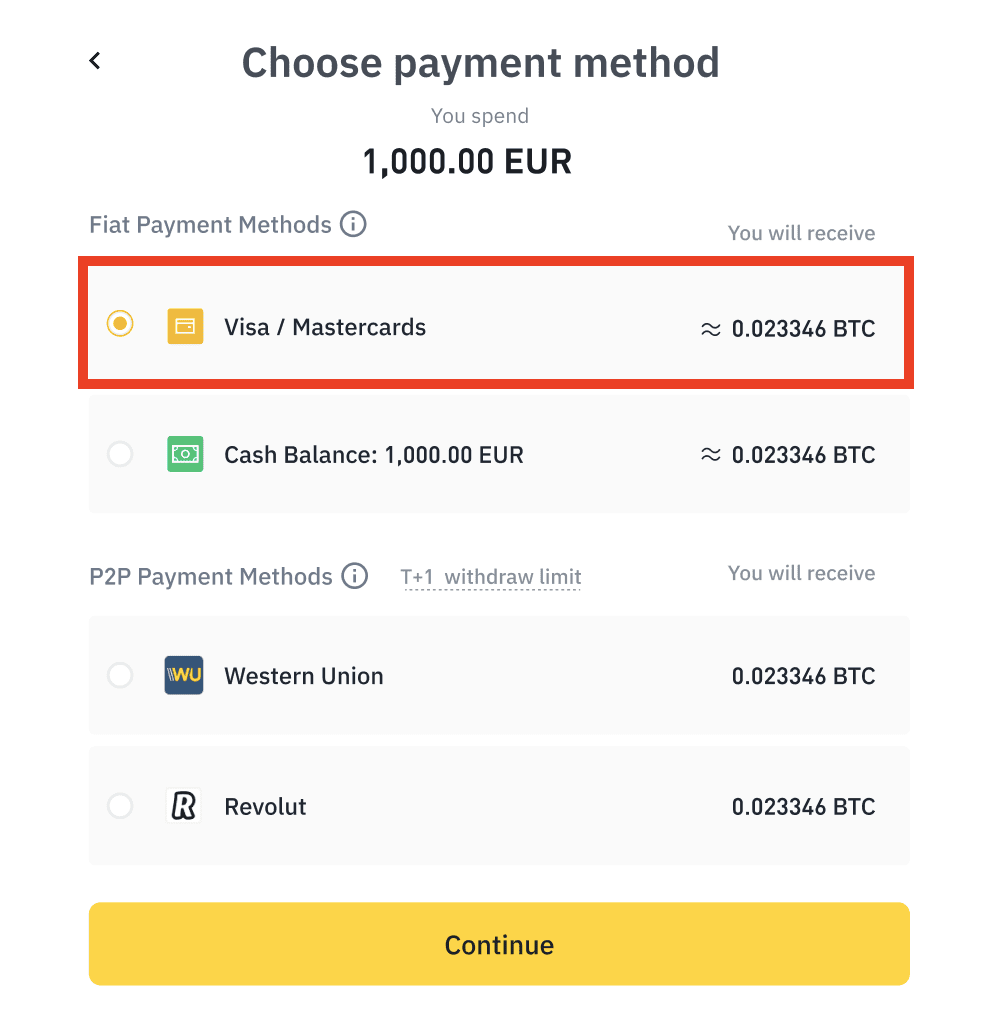
3. You can choose your preferred payment method here. To buy with a credit/debit card, click [Visa/Mastercard] - [Continue].
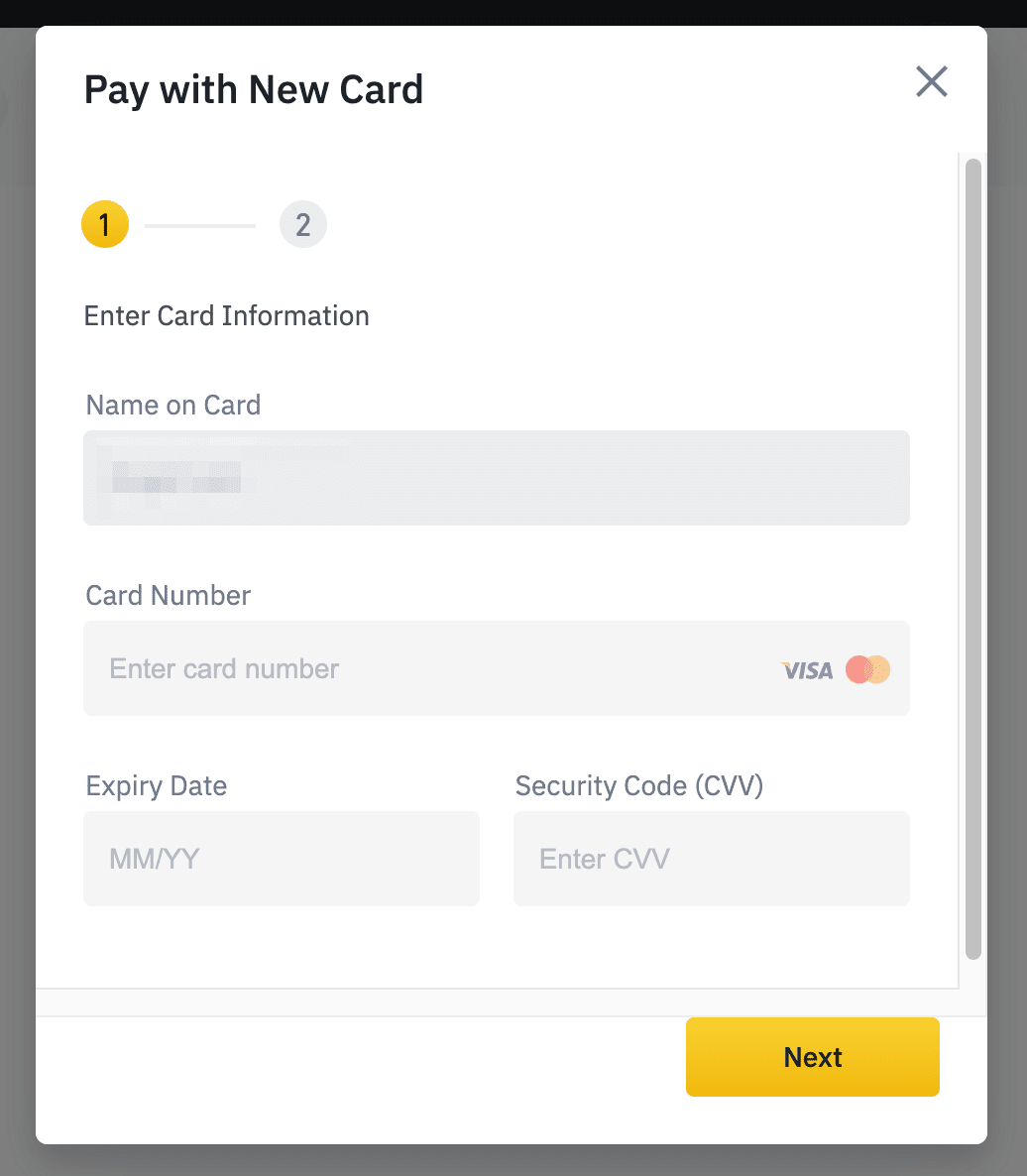
4. Follow the instructions and enter your card information.

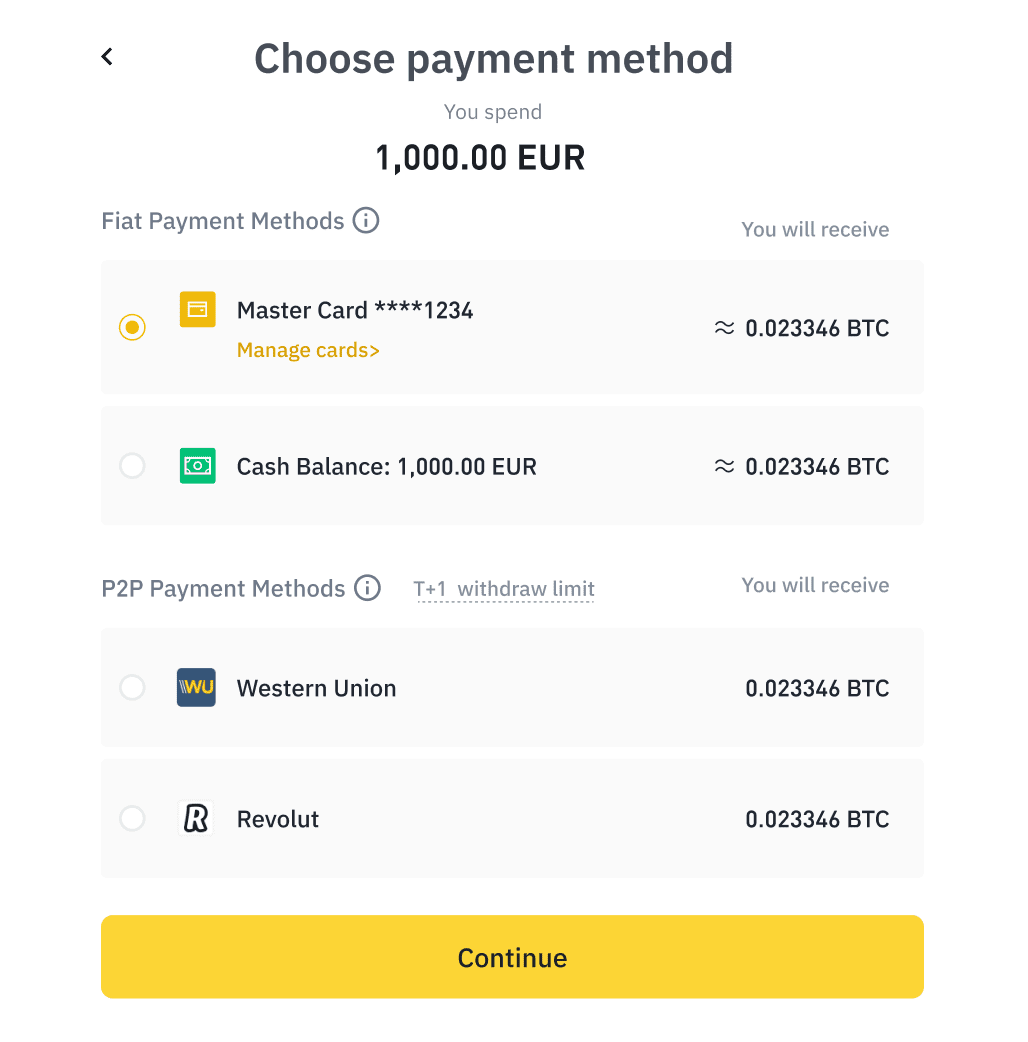
5. Your card will be added. Click [Continue].
6. Please check the payment details and fees and confirm your order within 1 minute, or the amount of crypto you can get would be recalculated based on the current market price. You can click [Refresh] to see the new order amount.
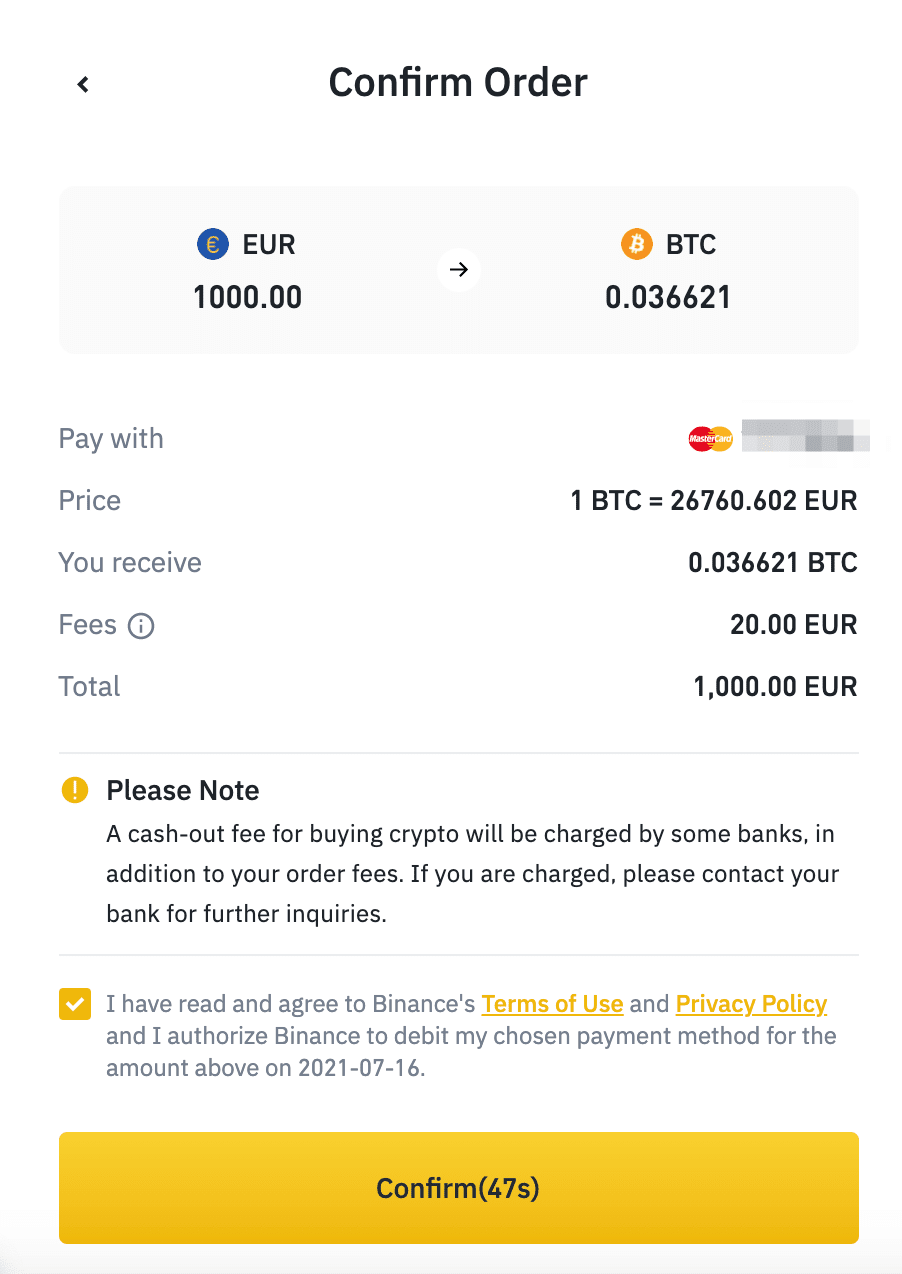
7. You will be redirected to your bank's OTP Transaction Page. Follow the on-screen instructions to verify the payment. After that, you can see the purchased crypto in your Binance Spot Wallet instantly.
How to buy crypto with Cash Balance


How to buy crypto with P2P


Comments
Post a Comment